
How to Add Images in Markdown
13 min read
.md file or start from scratch, then copy your finished Markdown when you're done.Loading editor…
| Aspect | Markdown | Word Processor |
|---|---|---|
| Primary Focus | Plain-text content and structured documents | Styled office and print documents |
| Git / Version Control | Easy to compare as plain text | Less convenient for line-by-line changes |
| Formatting Control | Controlled through Markdown syntax | Usually controlled through visual formatting tools |
| Output Portability | Markdown can be moved between compatible tools | Often centered around application-specific document formats |
| Code Documentation | Convenient for fenced code blocks | Usually requires additional formatting |
| Rendered Preview | Designed around Markdown rendering | Designed around visual document layout |
Type directly into the editor or load an existing Markdown file if file upload is available.
Add headings, lists, links, tables, task lists, code blocks, and other supported syntax.
Compare the rendered document with your source and look for formatting problems.
If an element does not render as expected, check its Markdown syntax and the features supported by the renderer.
Copy the source when the document is ready and paste it into your README, documentation, notes, or other Markdown-supported destination.
You can write and revise Markdown while viewing the rendered result alongside the source. Common uses include README files, technical documentation, project notes, release notes, and structured content drafts.
If file upload is enabled in the editor, you can open an existing .md file and continue editing its contents. You can also start a new document directly in the editor.
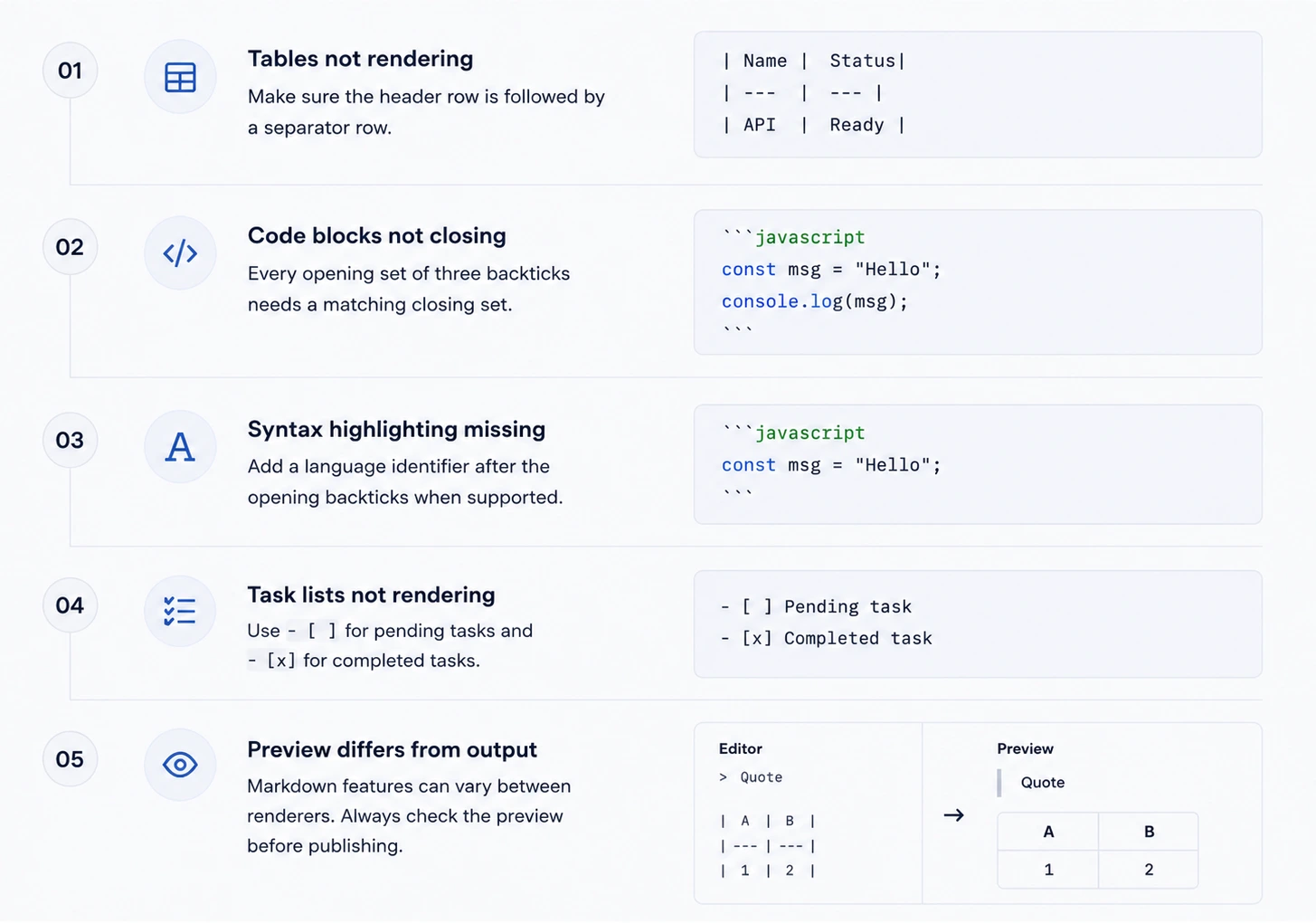
Markdown rendering can vary between implementations. Check the syntax first, then confirm that the feature you're using is supported by the editor and by the platform where the document will eventually be published.
Add a line with three backtick characters, then your code, then another line with three backtick characters to close the block. You can optionally add a language identifier such as javascript right after the opening backticks when syntax highlighting is supported.
Start with a header row, add a separator row such as | --- | --- |, and then add your data rows below it — for example | Name | Status | followed by | API | Ready |.
Check that the table has a header row and a separator row, and make sure each row contains the required pipe characters. Also check that the content is being rendered as Markdown rather than displayed as plain text.
Yes. Use - [ ] Task for an unchecked item and - [x] Task for a completed item when the Markdown renderer supports task-list syntax.
Learn practical Markdown workflows, publishing tips, and conversion best practices.
Last updated: Category: Markdown Editors