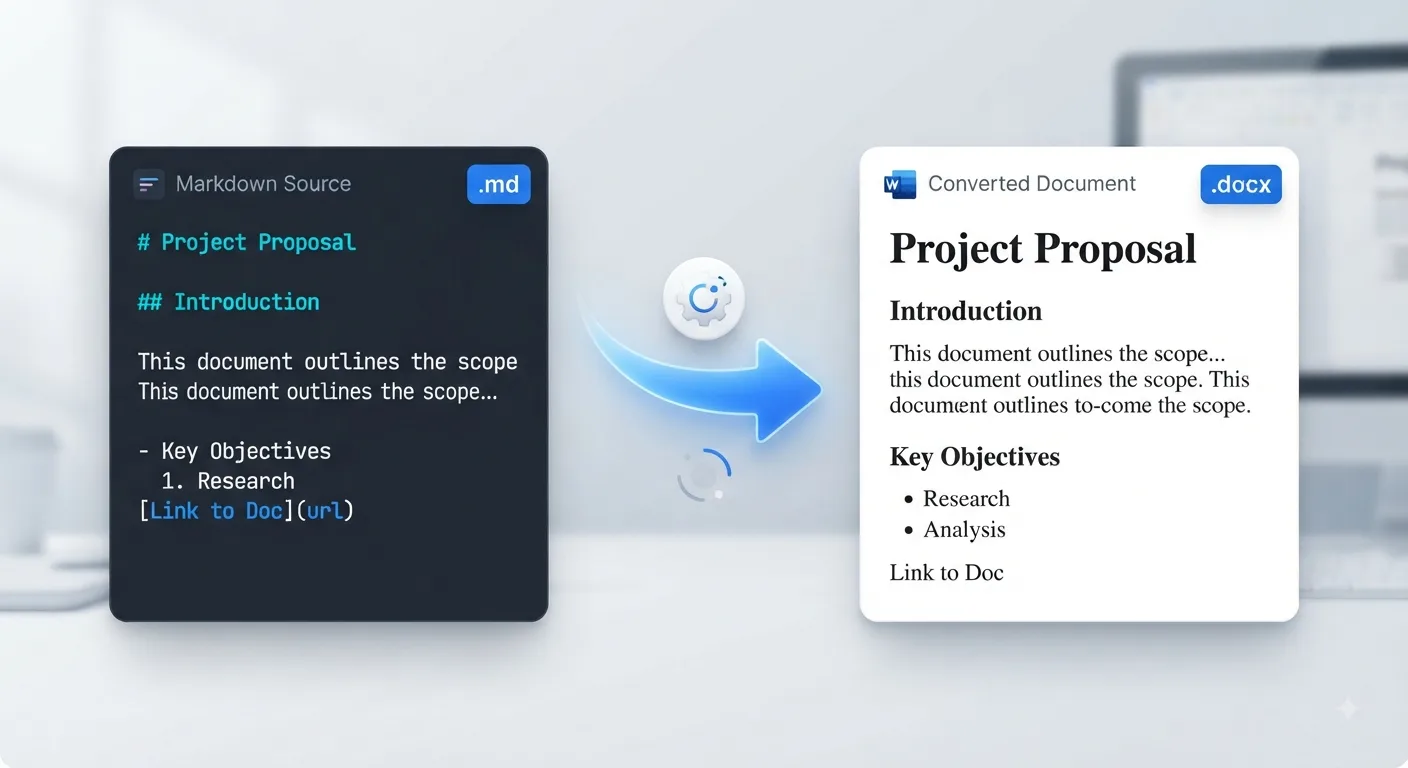
Share editable documents
Convert Markdown into Word documents that colleagues, clients, and teachers can edit easily.
Last updated: 10 min readCategory: Markdown Converters
Loading converter…
.md or .markdown) into an editable Microsoft Word document (.docx) while preserving document structure such as headings, paragraphs, tables, lists, links, blockquotes, and code blocks..docx files. Word also supports comments, track changes, page layouts, headers, footers, printing, and collaborative editing.Convert Markdown into Word documents that colleagues, clients, and teachers can edit easily.
Quickly convert .md files into Microsoft Word documents without rebuilding formatting manually.
Turn project documentation into professional Word files for presentations and stakeholders. See GitHub README Guide.
Keep headings, tables, lists, links, blockquotes, and code blocks organized.
Review documents using comments, suggestions, and Track Changes in Microsoft Word.
Convert assignments, reports, and research papers into Word before submission.
Create editable proposals, manuals, SOPs, and internal documentation.
Skip manual copy-paste fixes and export a ready-to-use Word document in seconds.
| Format | Best use case |
|---|---|
| Markdown | Documentation, GitHub, note-taking, technical writing, developer workflows |
| Word (.docx) | Editing, collaboration, reviews, reports, assignments, business documents |
| Printing, read-only sharing, final documents | |
| HTML | Websites, blogs, CMS publishing |
Lightweight, version-control friendly, and ideal for documentation. Learn more in Markdown Basics.
Provides advanced editing features such as comments, Track Changes, page layouts, headers, footers, and collaboration tools.
Best when the document should look identical everywhere and not be edited. See Markdown to PDF.
Intended for websites rather than document editing. See Markdown to HTML.
Need the reverse workflow? Use Word to Markdown to convert existing Word documents into clean Markdown. If you specifically need the DOCX format page, visit Markdown to DOCX for file format–focused guidance.
.md files for Microsoft Word, Google Docs, or other word processors.💡 Tip: If your Markdown contains embedded HTML, custom CSS, or platform-specific extensions, review the exported document before sharing to ensure everything appears as expected. See Markdown HTML for mixed Markdown/HTML content.
Converted into Word heading styles.
Preserved as normal paragraphs.
Formatting remains intact.
Exported as clickable links. See Markdown Links for link syntax.
List structure is maintained. See Markdown Lists.
Converted into editable Word tables. See Markdown Tables for formatting tips.
Preserved where supported. See Markdown Blockquotes.
Exported as document separators.
Displayed with monospace formatting.
Converted into readable code sections. See Markdown Code Blocks.
Supported when image sources are available. See Markdown Images.
Basic checkbox support. See GitHub Task Lists.
Share project documentation with managers, clients, or non-technical stakeholders.
Export developer documentation for reviews and approvals.
Convert Markdown reports into editable Word documents for meetings and presentations.
Submit essays, reports, dissertations, and research papers in Word format.
Deliver polished Word documents instead of raw Markdown files.
Draft in Markdown while reviewers edit comfortably in Microsoft Word.
Convert internal documentation into Word for distribution across teams.
Turn Markdown notes into professional documents ready to share.
Check column widths inside Word after conversion. See Markdown Tables for cleaner table syntax.
Verify indentation in Microsoft Word or Google Docs. See Markdown Lists.
Standard Markdown converts best; embedded HTML may render differently. See Markdown HTML.
Platform-specific syntax may require manual editing. See GitHub Flavored Markdown.
Ensure linked image URLs remain accessible. See Markdown Images.
Paste Markdown into the editor or upload a .md or .markdown file from your device.
Check headings, tables, lists, links, blockquotes, images, and overall formatting before exporting.
Convert your Markdown into an editable Microsoft Word document while preserving the document structure.
Save the generated Word file and open it in Microsoft Word, Google Docs, LibreOffice Writer, or other compatible office applications.
Convert Markdown into editable Word documents within seconds.
Upload .md and .markdown files directly from your device.
Keep headings, tables, lists, links, code blocks, and document structure intact.
Create documents ready for editing, comments, and Track Changes.
Everything runs locally in your browser without installing software.
Your Markdown content stays on your device and is never uploaded to our servers.
Open the exported document in Microsoft Word, Google Docs, LibreOffice, and compatible editors.
Convert Markdown to Word online without registration or subscriptions.
Yes. You can convert Markdown to Word online for free without creating an account or installing software.
Yes. Upload a .md or .markdown file, or paste Markdown directly into the editor, then download an editable Microsoft Word document.
There is no difference. MD is simply the file extension for Markdown documents. Both terms refer to converting Markdown into an editable Microsoft Word document.
Yes. Standard GitHub Flavored Markdown—including headings, lists, tables, links, blockquotes, and code blocks—is supported. See GitHub Markdown and GitHub Flavored Markdown.
Yes. Standard Markdown formatting such as headings, paragraphs, tables, lists, links, bold text, italic text, and code blocks is preserved wherever supported by Microsoft Word. See Markdown Syntax for supported elements.
Absolutely. The exported document remains fully editable in Microsoft Word, Google Docs, LibreOffice Writer, and other compatible word processors.
No. Everything runs locally inside your browser, so your Markdown files and content remain private.
Looking for step-by-step tutorials? Explore practical guides covering Markdown workflows, document conversion, formatting tips, and productivity.