GitHub documentation
Convert screenshots, tutorials, and project notes into README files and developer documentation.
Loading converter…
| Feature | OCR Conversion | Manual Typing |
|---|---|---|
| Speed | Extracts text automatically from images | Every line must be typed manually |
| Long documents | Saves time on long documents | Time-consuming for large amounts of text |
| Output format | Produces editable Markdown with basic list detection | Requires formatting after typing |
| Best for | Documentation and knowledge bases | Very small edits only |
| Reusability | Makes content searchable and reusable | Difficult to reuse efficiently |
For developers, technical writers, students, and documentation teams, OCR can significantly reduce repetitive work while making image-based content easier to maintain over time.
Extract text from application interfaces, tutorials, documentation, and web pages.
Convert reports, manuals, contracts, forms, and printed pages into editable Markdown.
Capture titles, bullet points, and presentation content for documentation or notes.
Turn brainstorming sessions, diagrams, and meeting notes into searchable Markdown.
Digitize printed notes, textbooks, and revision materials for easier organization.
Extract code snippets for documentation or further editing — always review formatting after OCR.
Basic table content can be extracted, though complex layouts may require manual cleanup.
Simple, clearly written notes can often be recognized, but accuracy depends on handwriting quality.
Convert screenshots, tutorials, and project notes into README files and developer documentation.
Extract content from manuals, setup guides, installation instructions, and product documentation.
Transform archived documents and screenshots into searchable internal documentation.
Convert whiteboards, presentation slides, and workshop photos into structured Markdown.
Organize scanned articles, textbooks, and research notes for easier editing and referencing.
Reuse printed or image-based content for blogs, documentation sites, and Markdown-supported CMS platforms.
Extract text before refining, summarizing, or expanding it with ChatGPT, Claude, Gemini, Cursor, GitHub Copilot, or other AI assistants.
Modernize legacy image-based documentation by converting it into editable Markdown.
Use a clearer or higher-resolution image whenever possible.
Dark text on a light background usually provides the best OCR accuracy.
Straighten the image before extracting text to improve recognition.
Multi-column documents, brochures, and magazines may need manual formatting after conversion.
Review table formatting and recreate complex tables in Markdown if necessary.
OCR works best with neat handwriting; always proofread the extracted text.
Stylized or unusual fonts may reduce recognition accuracy.
Upload a PNG, JPG, JPEG, WebP, or GIF image containing the text you want to extract.
Click Extract to Markdown to run Optical Character Recognition. The converter analyzes the image locally and extracts the detected text.
Check paragraphs, lists, and spacing. Edit the output to add headings, links, or tables, especially for complex layouts or handwritten content.
Copy the generated Markdown or download it as an .md file for GitHub repositories, technical documentation, Obsidian notes, knowledge bases, or other Markdown-supported applications.
Convert text from screenshots, scanned documents, photos, and images into editable Markdown within seconds.
Upload PNG, JPG, JPEG, WebP, or GIF images for OCR processing.
Create Markdown for GitHub README files, technical documentation, knowledge bases, and developer guides.
Review and refine the extracted Markdown before copying or downloading it.
No software installation or setup required. Everything works directly in your browser.
OCR runs locally in your browser using Tesseract.js — your images aren't uploaded or stored.
Continue editing the Markdown in VS Code, Obsidian, Typora, or other Markdown editors.
Convert images to Markdown without creating an account or paying for a subscription.
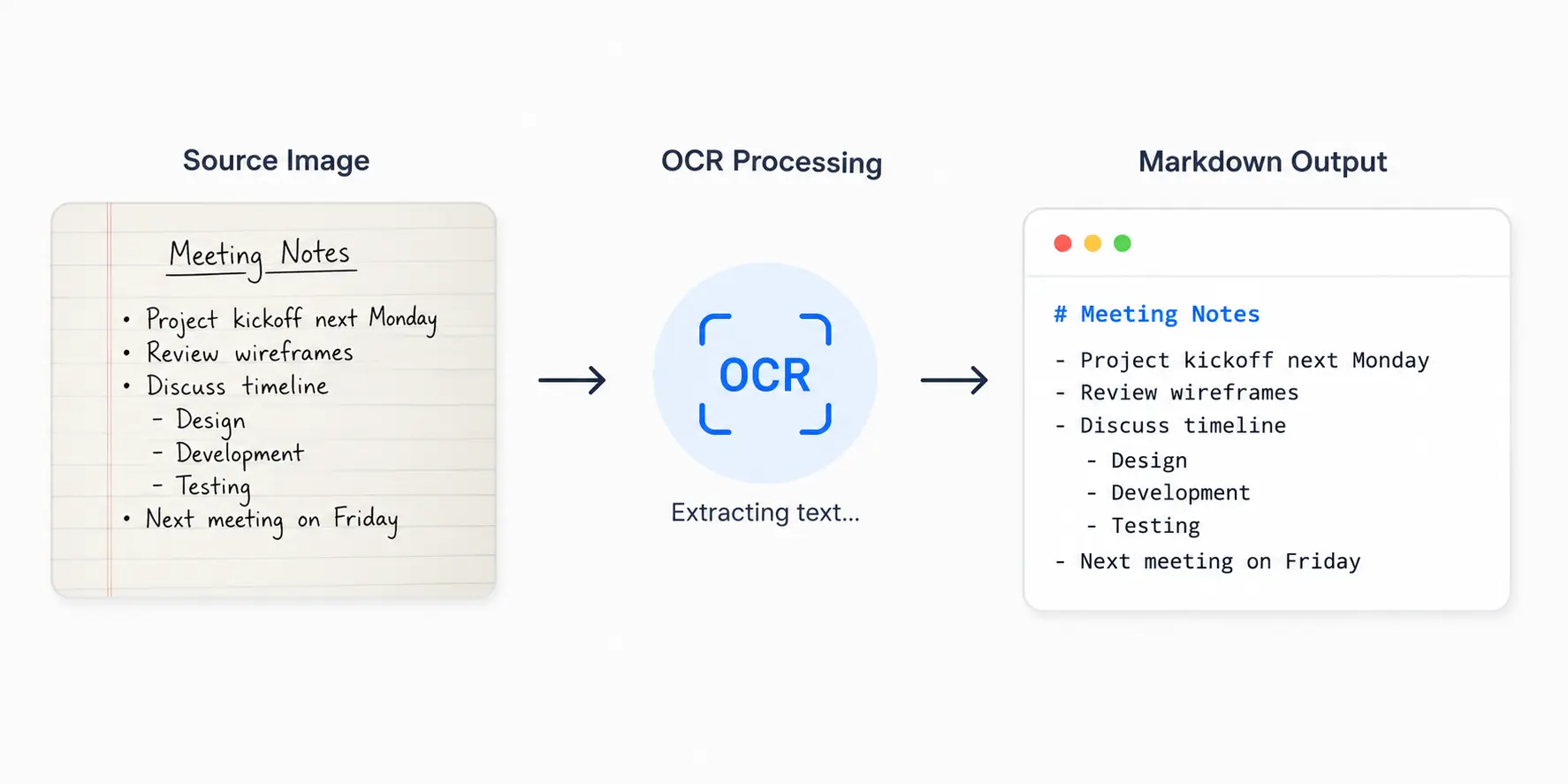
An Image to Markdown converter uses Optical Character Recognition (OCR) to detect text inside an image and convert it into editable Markdown. This makes screenshots, scanned documents, photos, and presentation slides easier to edit, search, and reuse without manually typing the content.
You can upload PNG, JPG, JPEG, WebP, and GIF images. Clear, high-resolution images generally produce the most accurate OCR results and require less editing after conversion.
Yes. Screenshots, scanned reports, printed documents, presentation slides, manuals, and whiteboard photos are all common use cases. OCR works best when the text is clear, properly aligned, and has good contrast against the background.
Yes, but the accuracy depends on handwriting quality. Neat, clearly written notes usually produce better results than cursive or heavily stylized handwriting. It's always a good idea to review the extracted Markdown before using it.
Absolutely. The generated Markdown works with GitHub README files, GitHub Wikis, Obsidian, VS Code, Typora, MkDocs, Docusaurus, Hugo, Jekyll, and most applications that support standard Markdown syntax.
No. Image processing happens locally in your browser using OCR technology, so your files aren't uploaded, stored, or shared. This makes the converter suitable for documentation, research, internal projects, and other privacy-conscious workflows.
Last updated: Category: Markdown Converters